

Sign up as an instructor
Create your free instructor account. Your page goes public once our team approves it.
- 1
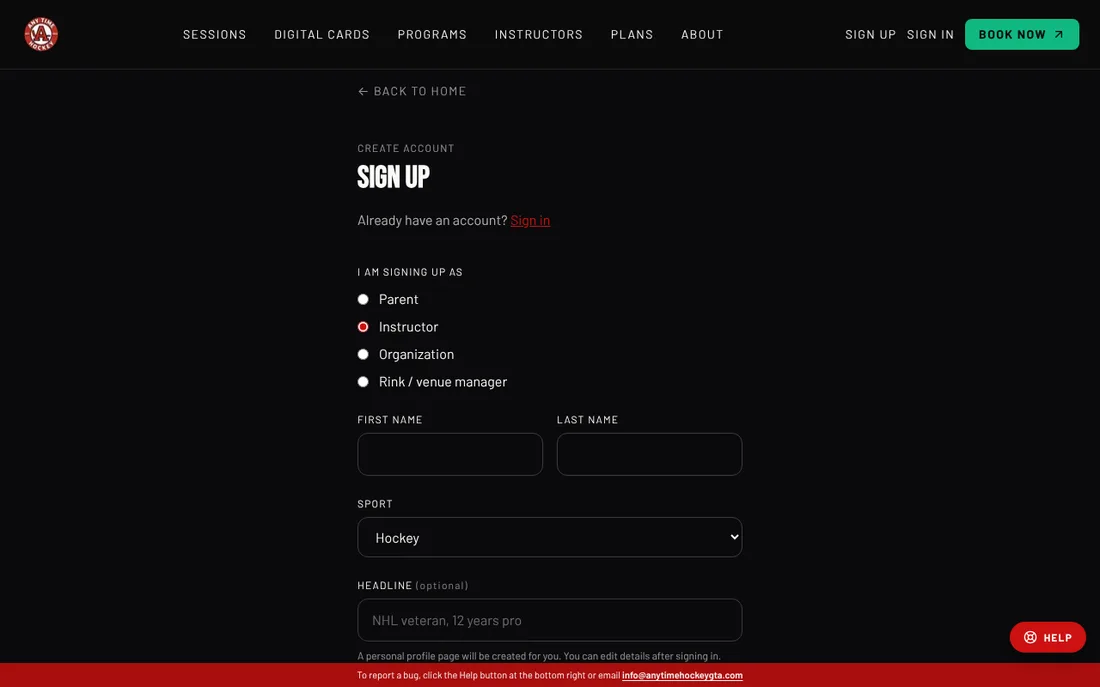
Open Sign up and choose Instructor.
- 2
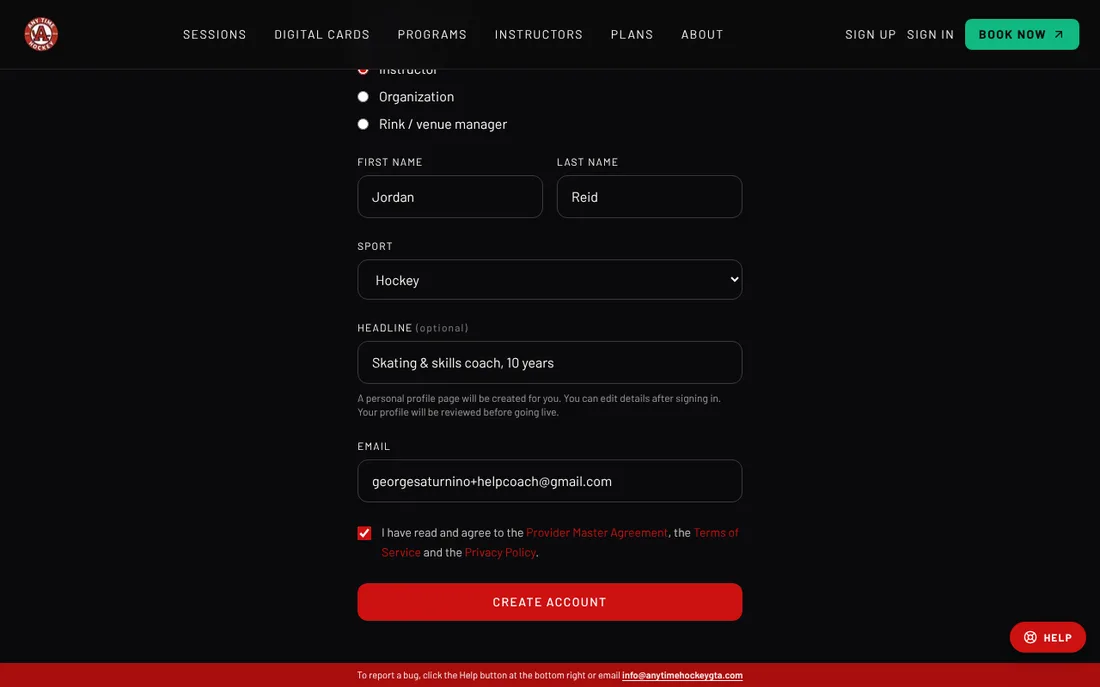
Type your first and last name, pick your Sport, and add a one-line Headline if you like (for example "NHL veteran, 12 years pro"). Then type your Email.
- 3
Tick the box to accept the agreement, Terms and Privacy Policy, then click Create account.
- 4
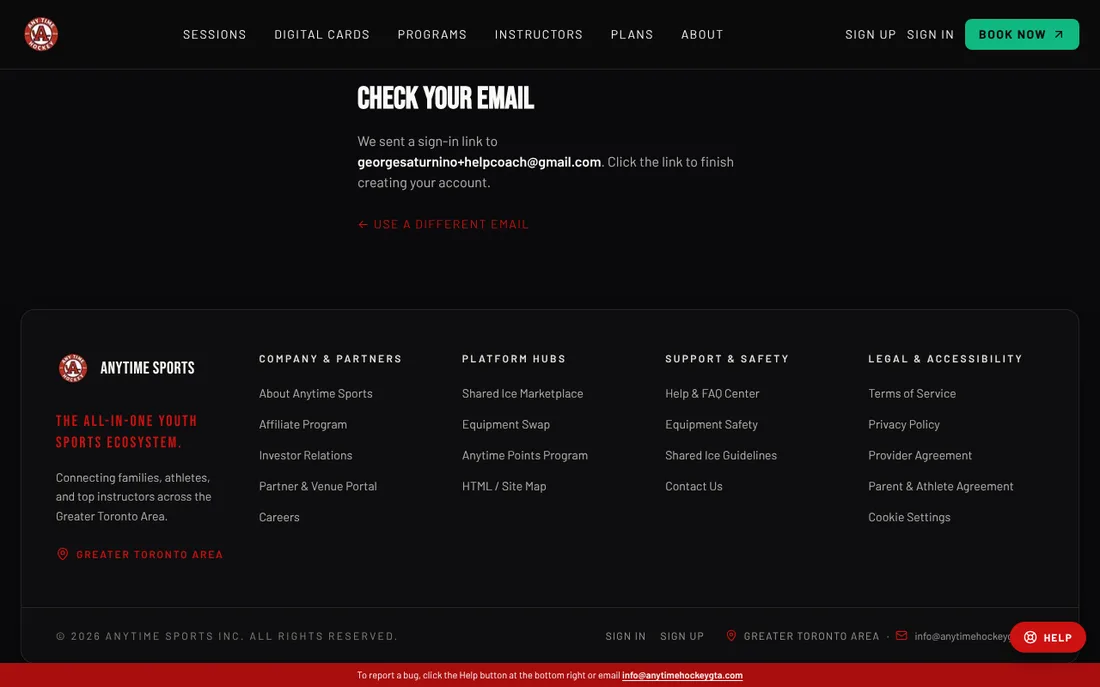
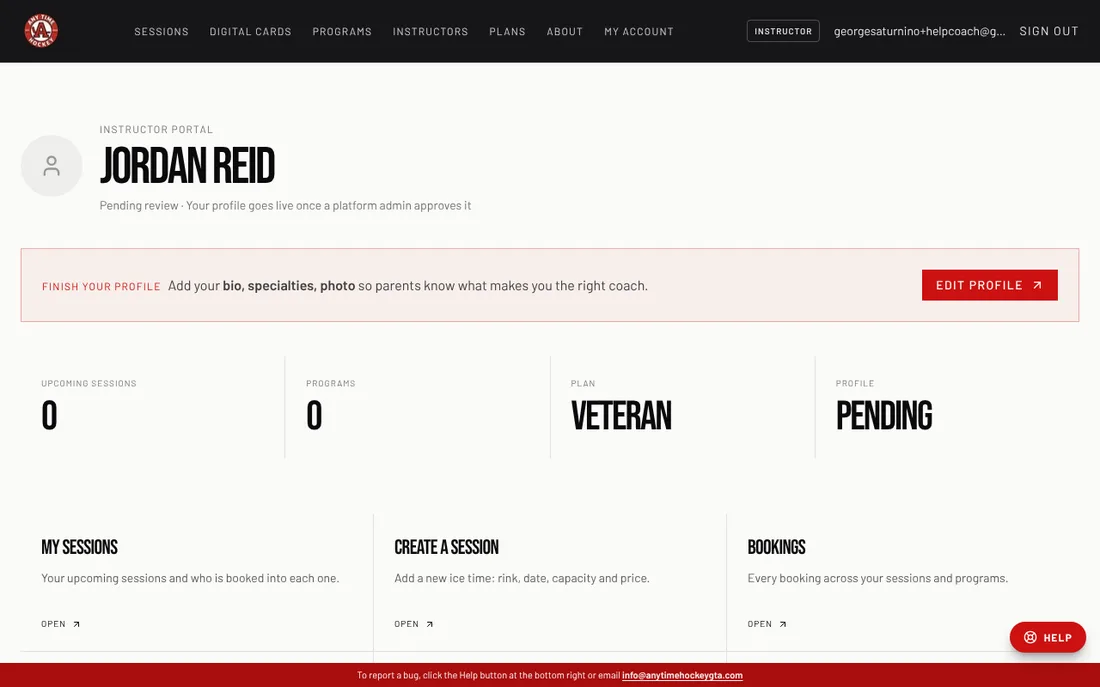
We show Check your email. Open the email from Anytime Sports and click Confirm my email. You land in your Instructor portal.
- 5
Your portal says Pending review until our team approves your profile; we email you when it goes live. Fill in your profile while you wait. New instructors also start on a free Veteran trial.
- Already a parent on Anytime Sports? Sign up as an instructor with the same email and both roles live on one account.
- No password: every sign-in is a link sent to your email.
Related
Still stuck? Click the red HELP button at the bottom right and tell us what happened.