

Set up your profile
Your photo, headline, bio, specialties and credentials are what parents see before they book.
- 1
In your Instructor portal click My profile.
- 2
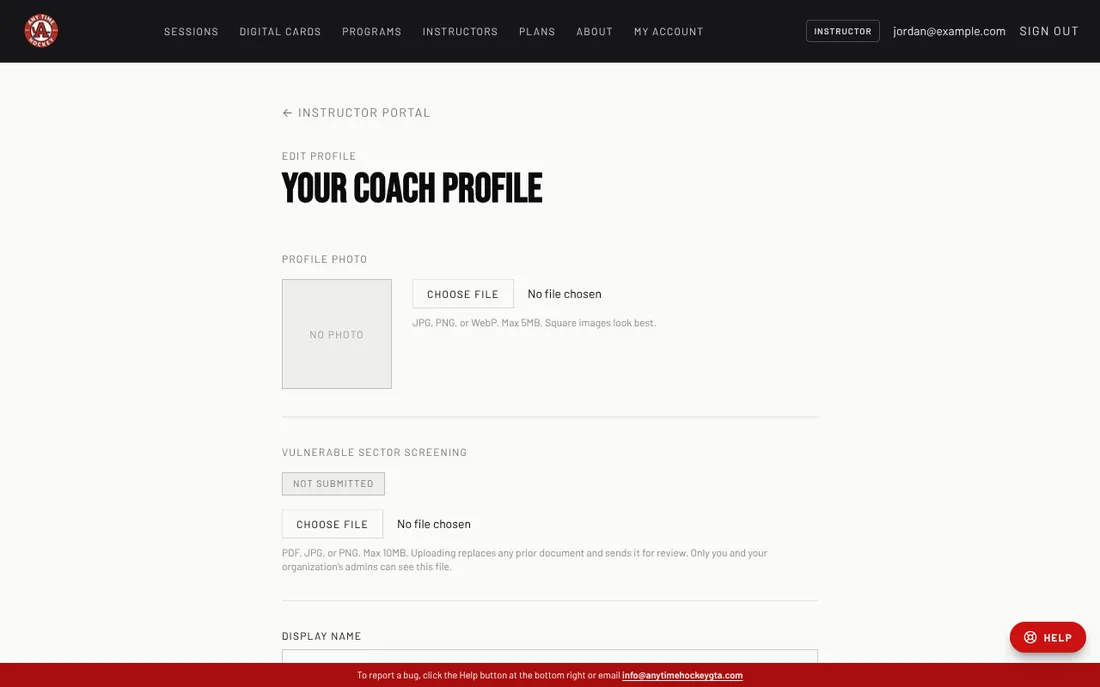
Under Profile photo click Choose file and pick a JPG, PNG or WebP (up to 5 MB). Square photos look best.
- 3
Check your Display name and Profile URL (the end of your page address, for example coach-steve).
- 4
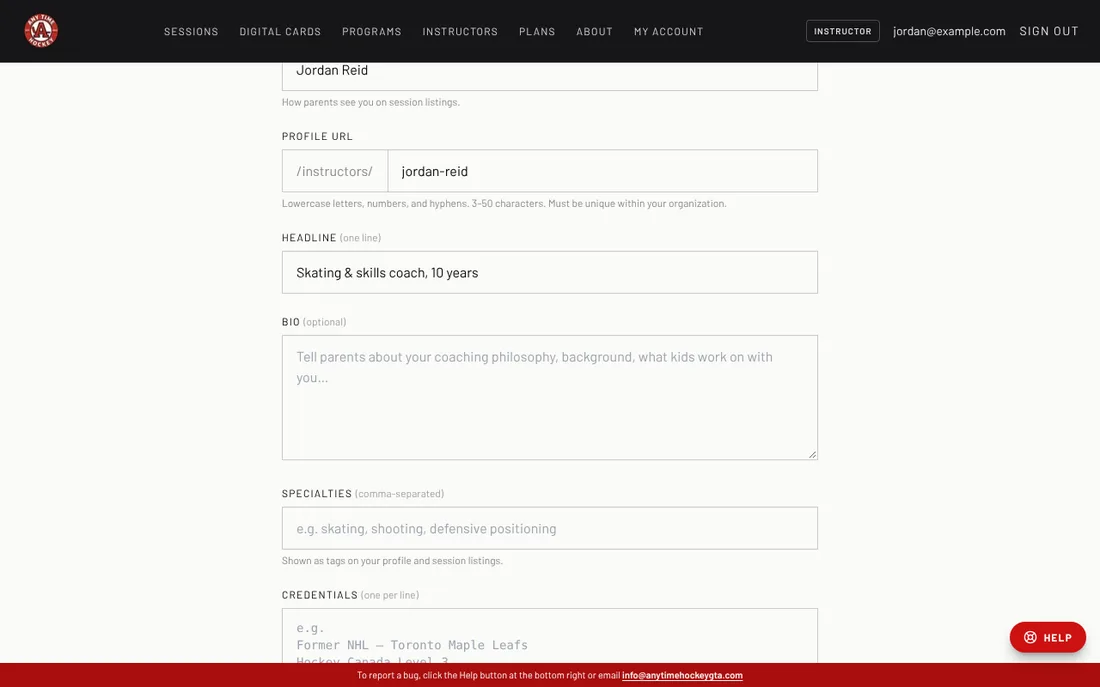
Write a one-line Headline, a Bio, your Specialties (separated by commas) and your Credentials (one per line).
- 5
Add your Instagram handle if you have one, then click Save changes.
- 6
Open your public page from your Instructor portal to see your profile the way parents see it.
Still stuck? Click the red HELP button at the bottom right and tell us what happened.