

Upload your Vulnerable Sector Screening (VSS)
Upload your police check so families can see you are verified.
- 1
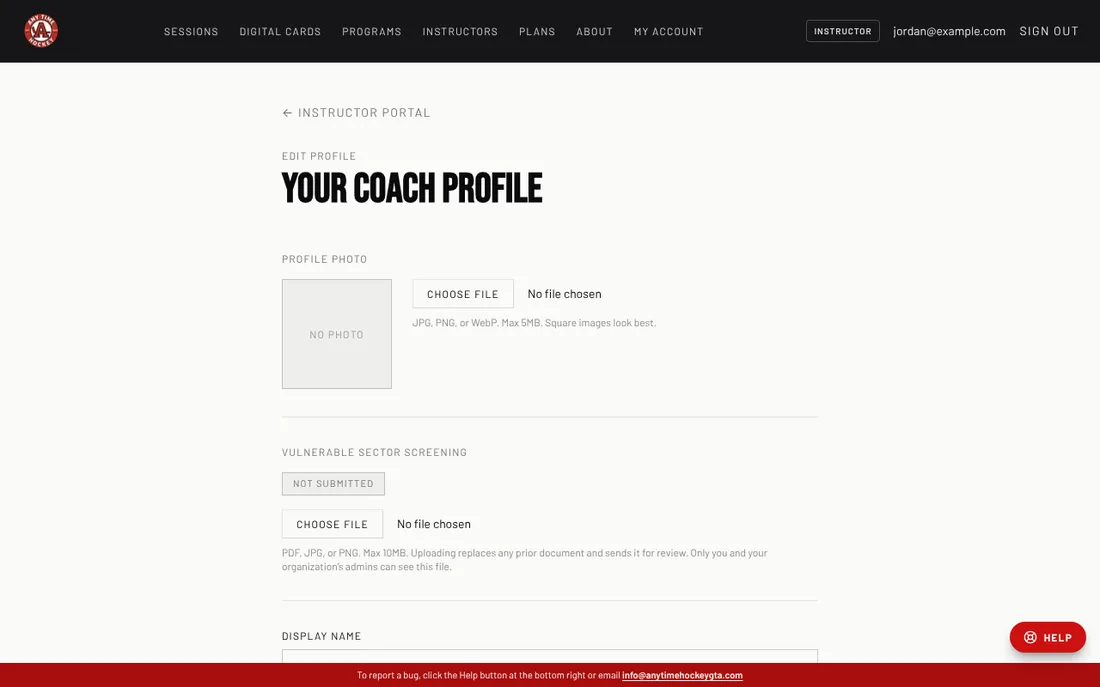
In your Instructor portal click My profile.
- 2
Under Vulnerable Sector Screening click Choose file and pick your VSS as a PDF, JPG or PNG (up to 10 MB).
- 3
The status changes from Not submitted to Pending review. Our team checks it and marks it Verified.
- 4
When your check expires the status changes to Expired. Upload the new one the same way.
Good to know
- Your document is private: only you and your organization's admins can open it. Parents only see that you are verified.
- Uploading a new document replaces the old one and sends it for review again.
Still stuck? Click the red HELP button at the bottom right and tell us what happened.