

Repeat a session weekly
Create the same session every week in one step.
Create a sessionRookie plan or higher (including the Veteran free trial)
- 1
Fill in the session for its first date on Create a session.
- 2
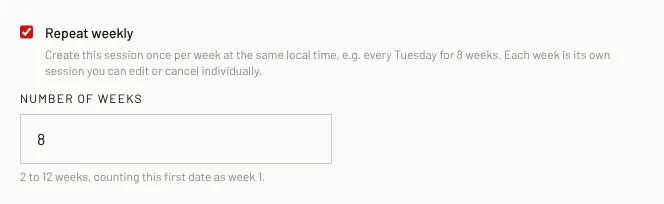
Tick Repeat weekly.
- 3
Type the Number of weeks (2 to 12, counting the first date as week 1).
- 4
Click Create sessions. One session is created per week at the same local time.
Good to know
- Each week is its own session: edit or cancel any week on its own.
- On the Free Agent plan the Repeat weekly box shows which plans include it.
Related
Still stuck? Click the red HELP button at the bottom right and tell us what happened.