

Edit, duplicate or publish a session
Change a session, copy it to next week, or switch it between Draft and Published.
- 1
Open the session from My sessions or the Sessions list.
- 2
Change what you need and click Save changes.
- 3
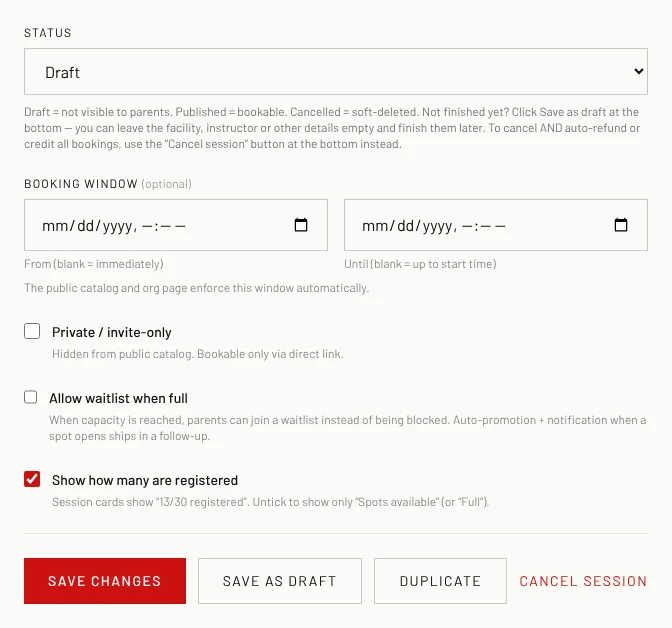
To publish or hide it, change Status (Draft = parents can't see it, Published = bookable) and click Save changes.
- 4
To copy it, click Duplicate. The copy is dated one week later, saved as a draft with "(copy)" in the title; edit it and publish it.
Good to know
- To cancel a session that has bookings, use Cancel session at the bottom instead of the Status list, so parents get their refund or credit.
Related
Still stuck? Click the red HELP button at the bottom right and tell us what happened.