

Cancel a session
Cancel a session and refund or credit every family that booked.
- 1
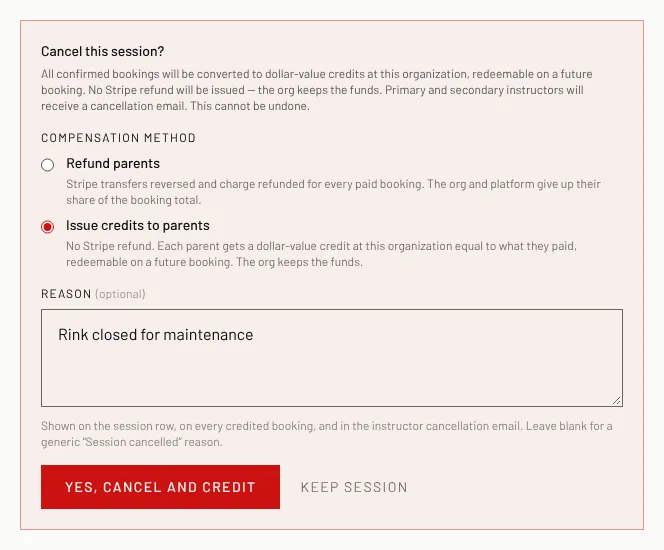
Open the session and click Cancel session at the bottom.
- 2
Choose Refund parents (money back to their card) or Issue credits to parents (a credit they can use on a future booking).
- 3
Type a Reason (optional). It is shown on each booking and in the cancellation email.
- 4
Click Yes, cancel and refund or Yes, cancel and credit. Parents and instructors are emailed.
Good to know
- This cannot be undone.
- A session with no bookings is simply cancelled.
Still stuck? Click the red HELP button at the bottom right and tell us what happened.