
Add a rink that isn't listed
Add a missing facility right from the session form.
- 1
On the session form, check the Facility list first. Rinks show their city, for example "Canlan Sports Oakville, Oakville".
- 2
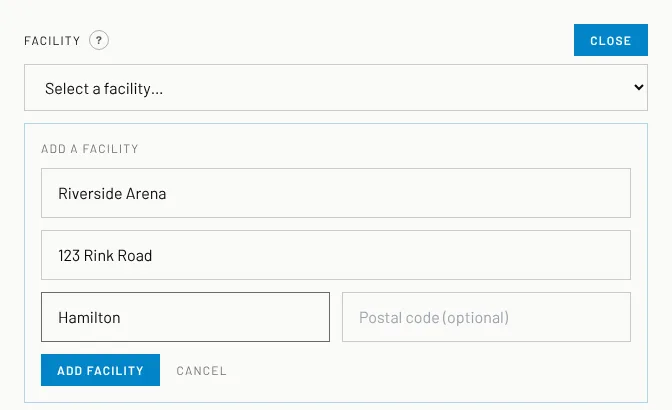
Not there? Click the blue Add a facility button.
- 3
Type the rink name, the street address, the city and (optional) the postal code.
- 4
Click Add facility. The rink is added and picked for your session straight away.
Good to know
- If the rink was already listed under the same name or address, it is simply picked, so there are no duplicates.
- Rinks you add are available to every coach. Our team checks the details.
Still stuck? Click the red HELP button at the bottom right and tell us what happened.