

Set your weekly availability
Show organizations the times you're usually free to coach.
- 1
In your Instructor portal click Availability.
- 2
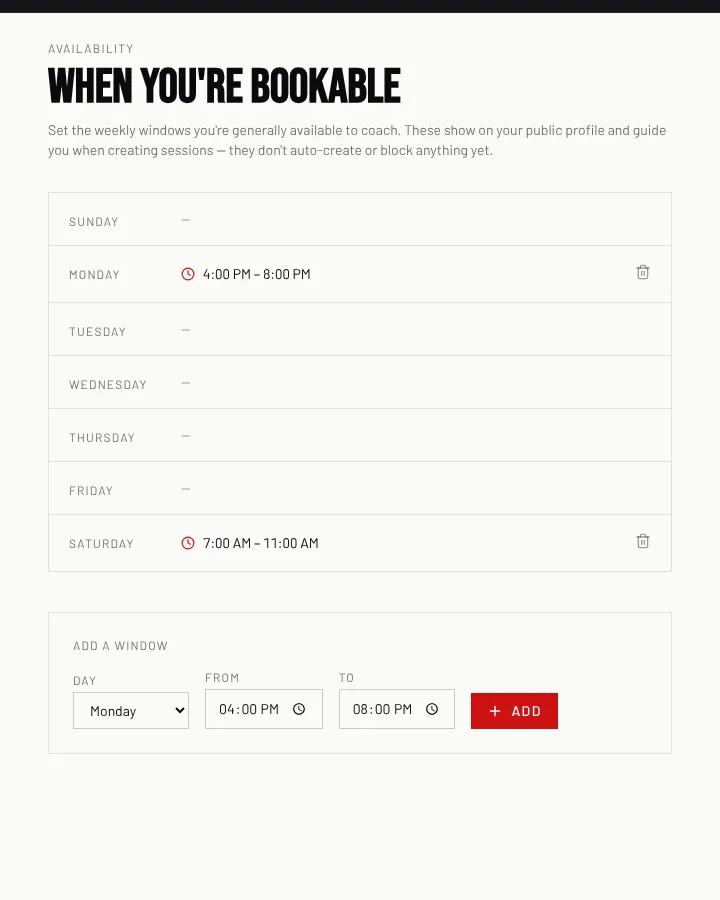
Under Add a window pick the Day and the From and To times, then click Add.
- 3
Add as many windows as you need (for example Monday 4–8 pm and Saturday 7–11 am).
- 4
To remove one, click the bin icon beside it.
Good to know
- Your windows show on your public profile and beside your name when a session is being created. They don't book or block anything on their own.
Still stuck? Click the red HELP button at the bottom right and tell us what happened.